 Pulsarr
Quick start
Install Pulsarr with Docker and get your first watchlist item into Sonarr or Radarr.
This guide installs Pulsarr with Docker Compose and walks through first-run setup. At the end, a title you add to your Plex watchlist shows up in Sonarr or Radarr.
Before you start
You need:
- Docker with Docker Compose. To install without Docker, see Native installers.
- The Plex account that owns your Plex server.
- Sonarr and Radarr, with the API key from each. You'll find it in Settings > General.
Pulsarr reads your own watchlist and the watchlists of your Plex friends. Anyone who isn't a friend of your Plex account is skipped.
Each friend also decides who can see their watchlist, in their own Plex privacy settings. If it's set to Private, Pulsarr can't see it, and Plex doesn't say so. It looks the same as an empty watchlist. They can change it from the privacy icon next to Watchlist on their Plex profile, or in the Plex web app under Settings > Account > Account Visibility & Activity Sharing.
Install Pulsarr
Create a folder for Pulsarr. In it, add a .env file with your time zone:
TZ=America/Los_AngelesAlmost every Pulsarr setting can also be set in .env, as listed in environment variables. For this guide, the time zone is all you need.
Add a docker-compose.yml next to it:
services:
  pulsarr:
    image: lakker/pulsarr:latest
    container_name: pulsarr
    ports:
      - "3003:3003"
    volumes:
      - ./data:/app/data
    environment:
      - PUID=1000
      - PGID=1000
    restart: unless-stopped
    env_file:
      - .env
Pulsarr keeps its database and logs in ./data.
Start it:
docker compose up -dCreate the admin account
Open http://<your-server>:3003. On first visit Pulsarr asks you to create the admin account. Fill in Email, Username, Password and Confirm password, then select Create account. Sign in with the new account.
Run setup
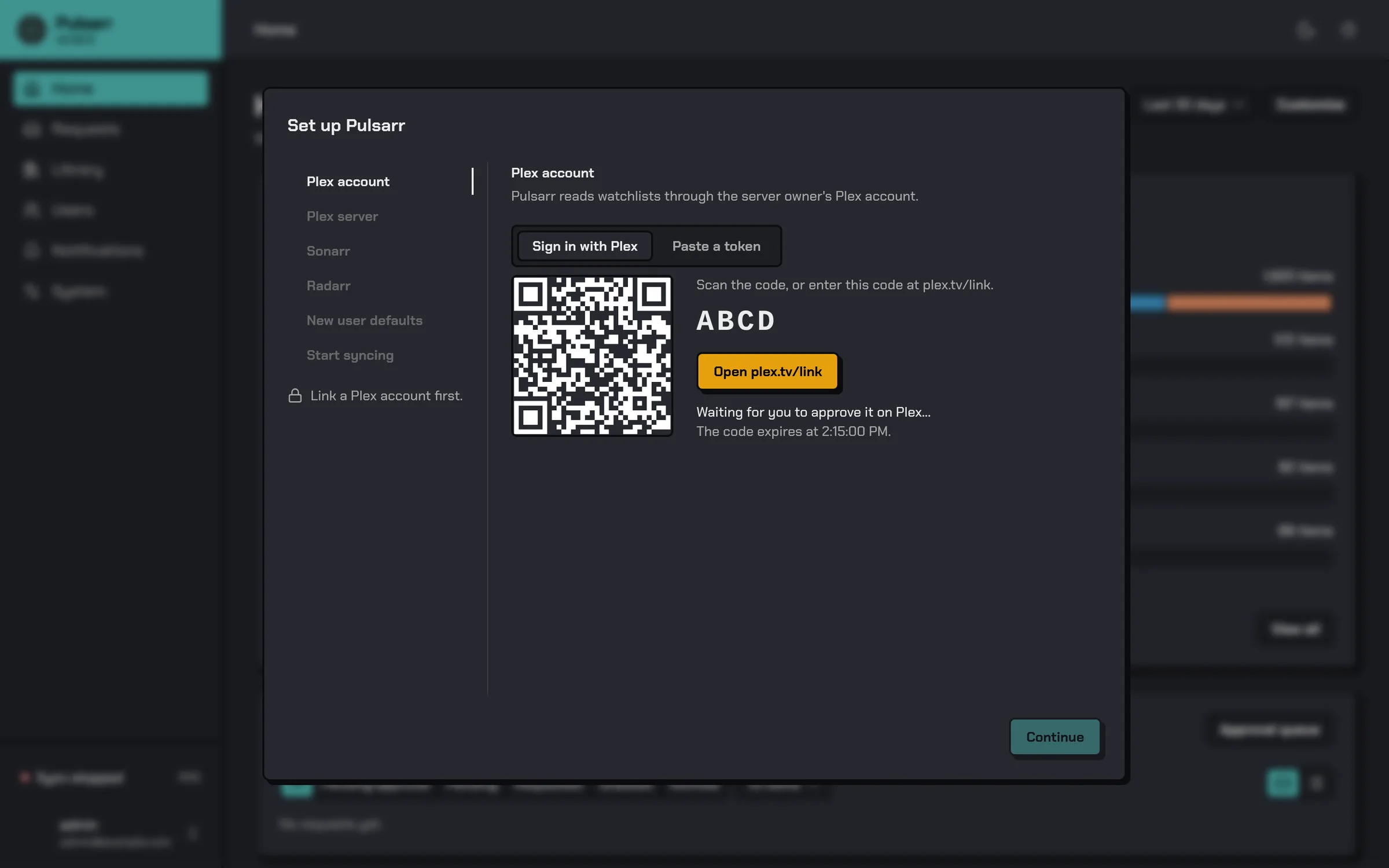
After you sign in, the setup dialog opens. It has six steps. The other steps stay locked until you link a Plex account.
-
Plex account. Select Open plex.tv/link and approve the code. To paste a Plex token instead, use the Paste a token tab.
-
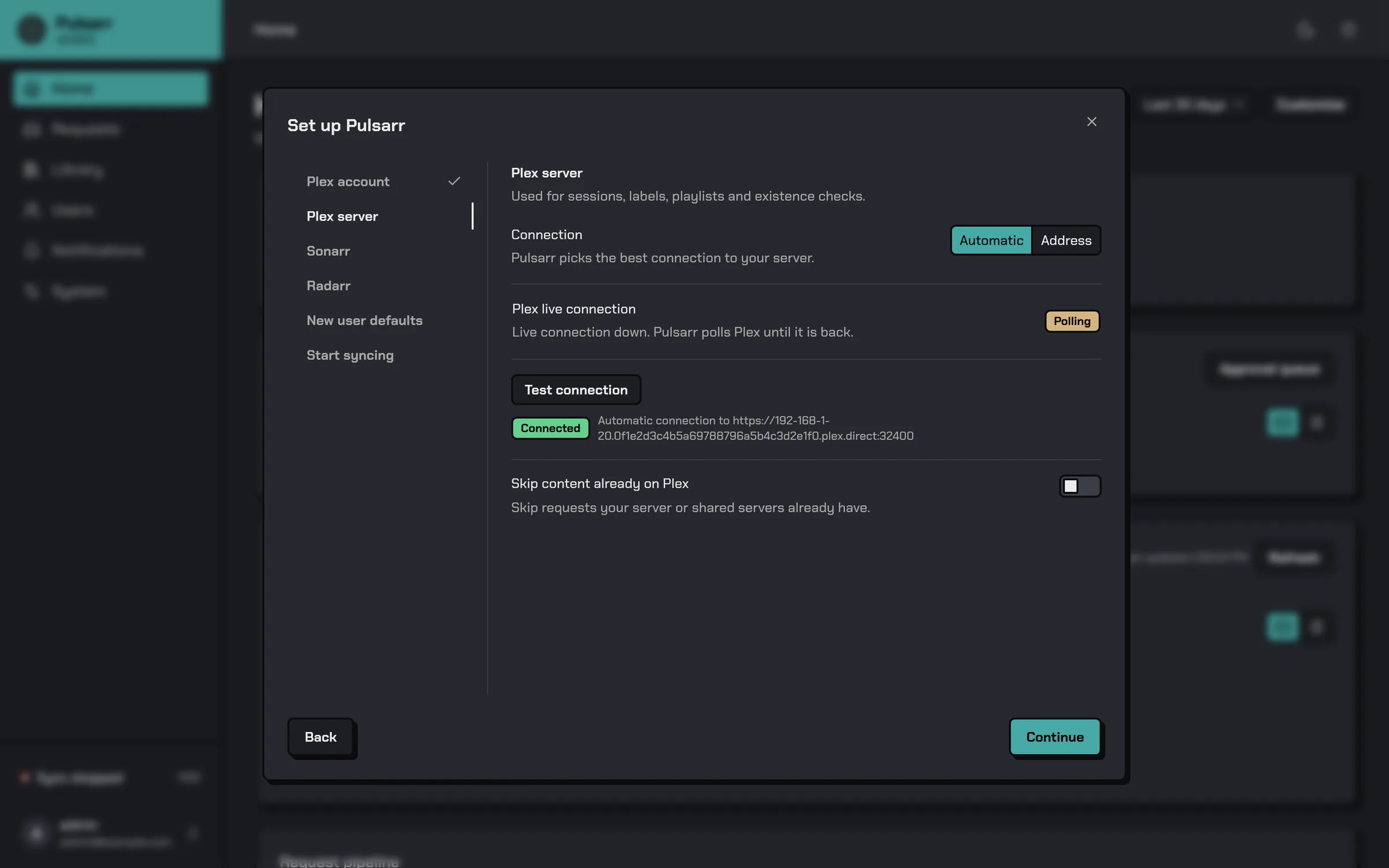
Plex server. The connection starts on Automatic, which lets Pulsarr pick the best connection. Select Test connection to check it, then Continue. Choose Address only if you want to enter the server address yourself.
-
Sonarr. Enter a Name, the URL and the API key, then select Test connection. Once it connects, pick a Quality profile and Root folder and select Save and continue.
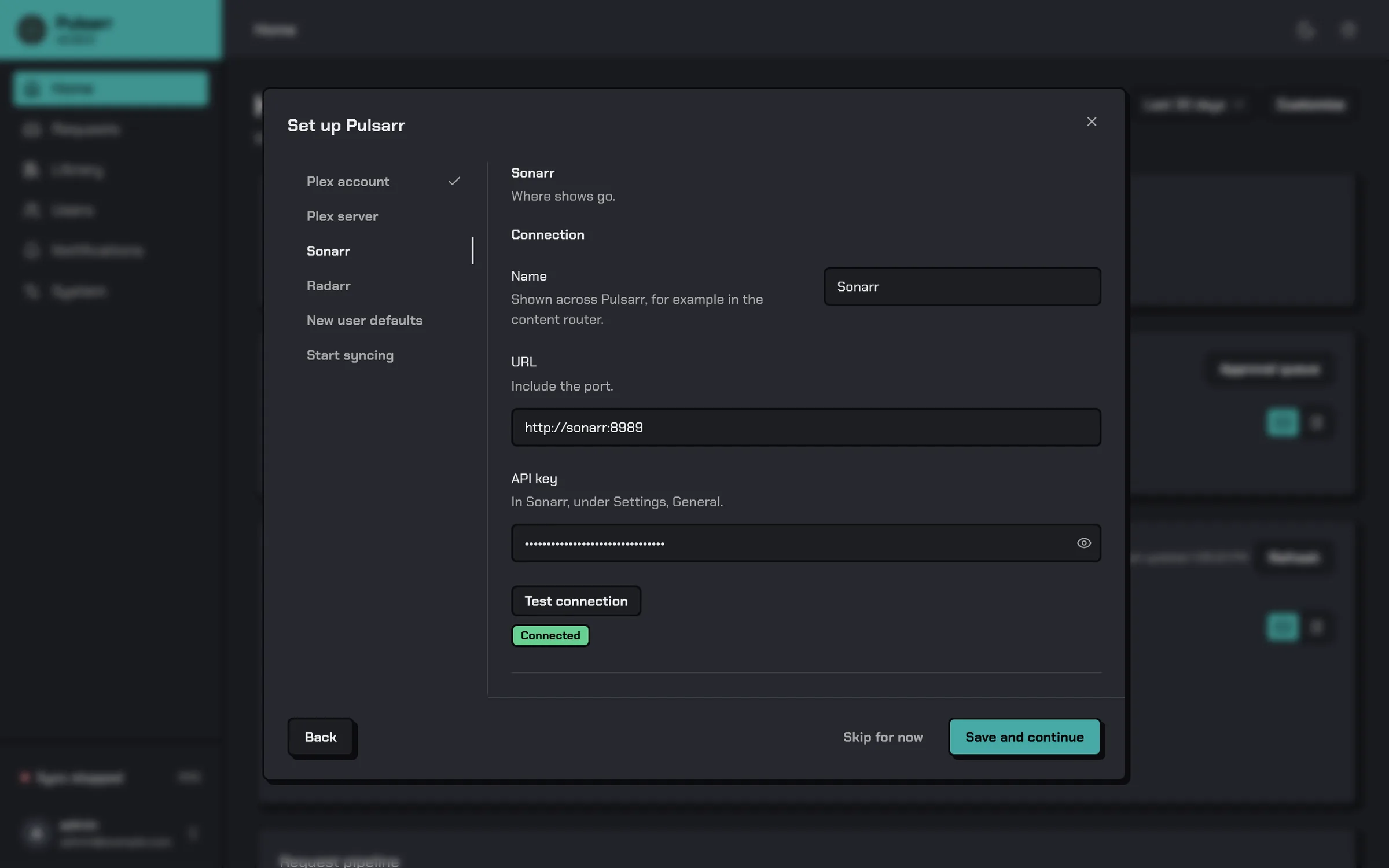
The test also checks that Sonarr can reach Pulsarr, which it needs to report finished downloads. If it says Sonarr can't reach Pulsarr, select Fix the address. Choose how your servers reach Pulsarr, for example IP address with your server's address, then select Save. This is common when Sonarr runs in its own Docker container, where
localhostmeans the container itself.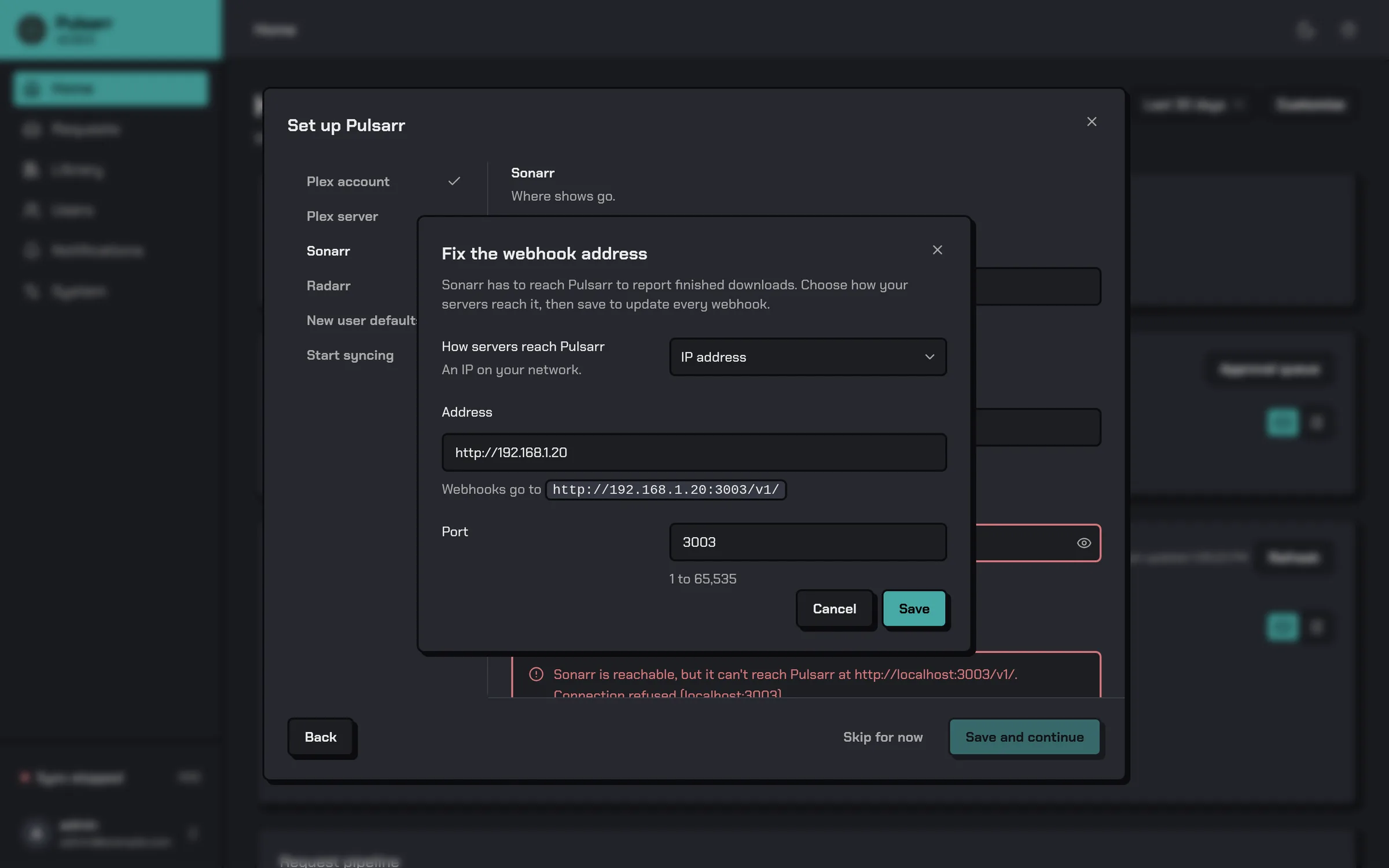
-
Radarr. The same as Sonarr.
-
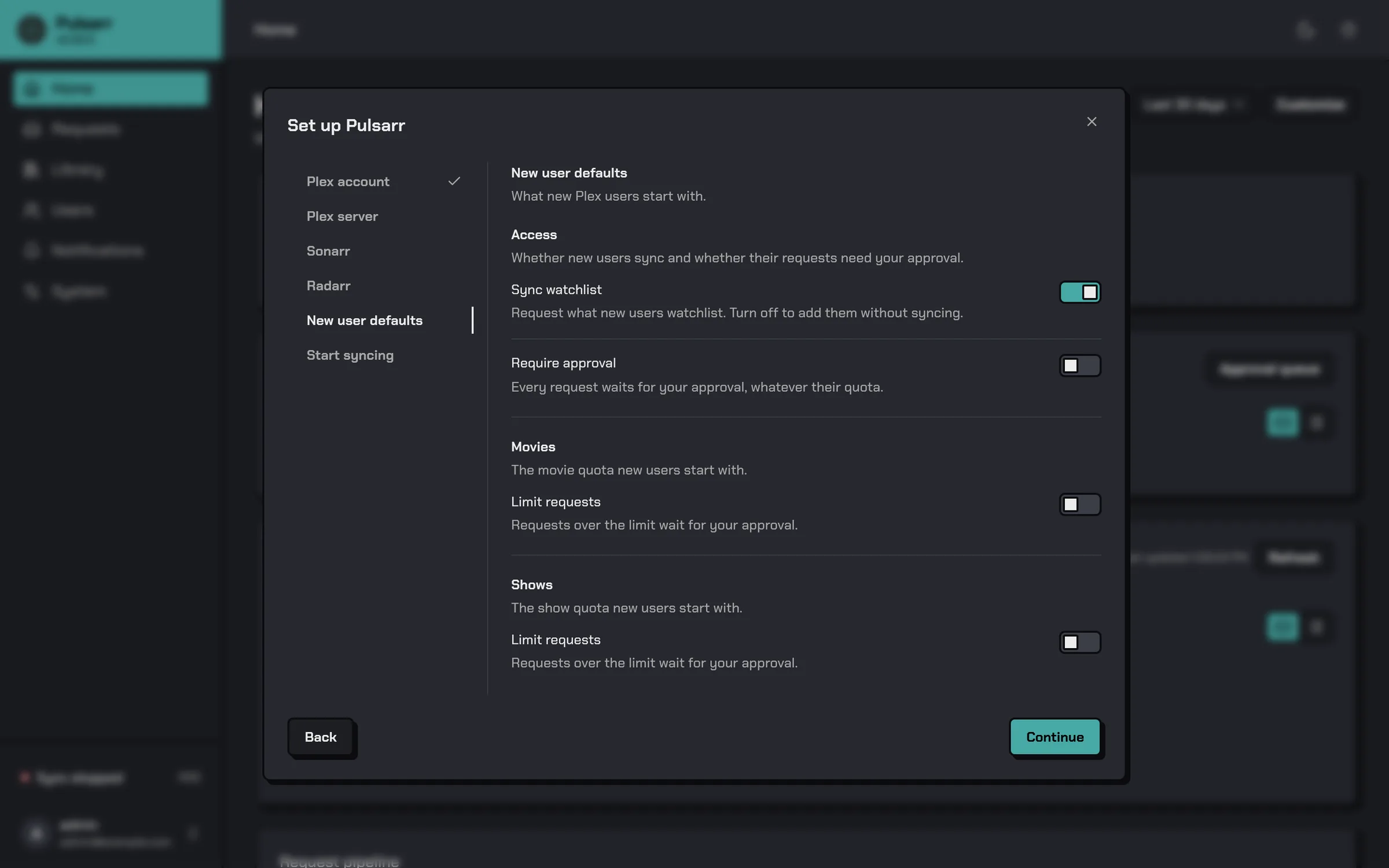
New user defaults. Pulsarr adds users on its own. Each time it syncs, any Plex friend it hasn't seen before becomes a Pulsarr user with these settings. That includes everyone found by the first sync in the next step. Sync watchlist is on by default, so their watchlists are read. Turn on Require approval if you want to approve each request first, or Limit requests under Movies and Shows to give new users a quota.
-
Start syncing. Select Sync watchlists to read every watchlist once. When every row shows Done, select Start workflow. Leave Start on launch on so syncing starts again after a restart. The dialog closes and the sidebar shows Sync running.
The first Sonarr and the first Radarr you add become the default instances. Requests go to them until you add rules in the Content router.
To stop or start the workflow later, select Sync running at the bottom of the sidebar and use Stop or Start. To open setup again, select your account at the bottom of the sidebar, then Run setup.
Check that it works
Add a movie to your Plex watchlist, then open Radarr. The movie shows up there once Pulsarr picks up the change. With Plex Pass that takes seconds. Without it, Pulsarr checks watchlists on a schedule.
If someone's watchlist isn't syncing, check their row on Plex users. It shows whether they're a Plex friend yet, and the Watchlist column counts the items Pulsarr has for them.
Last updated on