Sonarr Configuration
Configure your Sonarr instances to manage TV show downloads and monitoring.
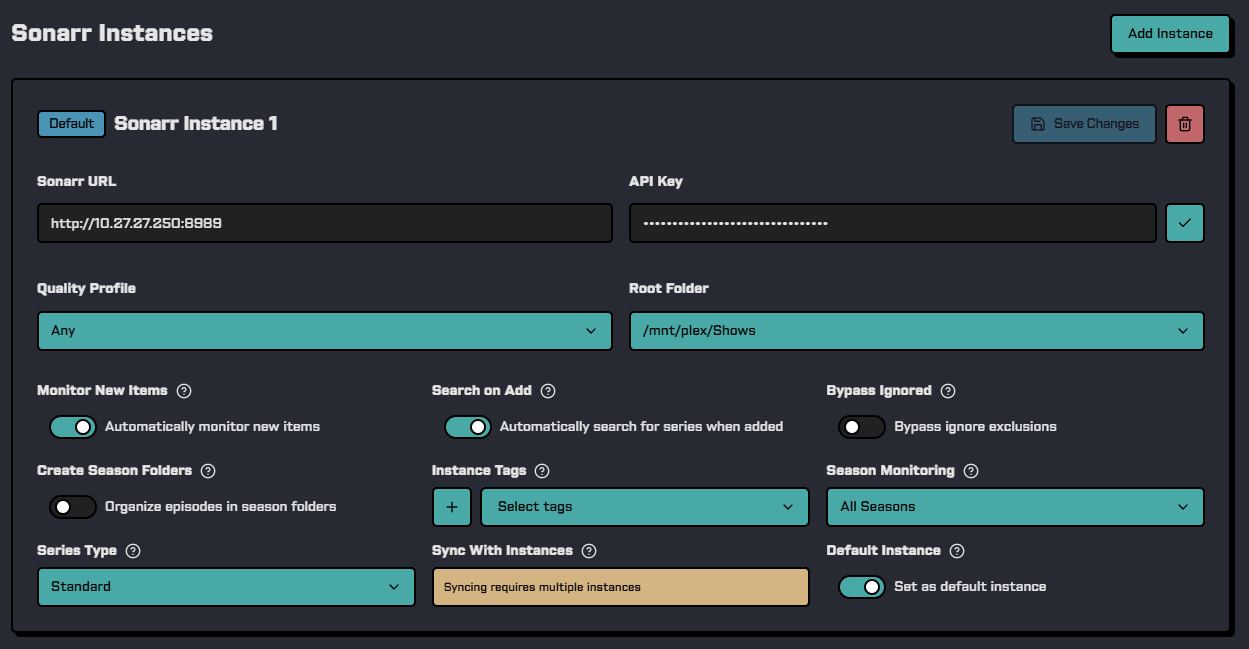
Quick Setup
- Navigate to Sonarr in Pulsarr
- Click Add Instance
- Enter your Sonarr URL and API key (Settings → General → Security)
- Select quality profile and root folder
- Configure season monitoring strategy
- Save and test connection
Connection Settings
| Setting | Required | Description |
|---|---|---|
| Name | Yes | Unique display name for this instance |
| Base URL | Yes | Sonarr URL without trailing slash (e.g., http://localhost:8989) |
| API Key | Yes | From Sonarr: Settings → General → Security |
Content Management
| Setting | Required | Description |
|---|---|---|
| Quality Profile | Yes | Default quality profile for new series |
| Root Folder | Yes | Default root folder for new series |
| Tags | No | Tags to apply to new content (can create new tags inline) |
Monitoring Settings
| Setting | Description |
|---|---|
| Season Monitoring | Which seasons to monitor (see options below) |
| Monitor New Items | Monitor all new items (default) or don't monitor |
Season Monitoring Options
| Option | Description |
|---|---|
All Seasons | Monitor all seasons (default) |
Future Seasons | Only future seasons |
Missing Episodes | Only missing episodes |
Existing Episodes | Only existing episodes |
First Season | First season only |
Last Season | Last season only |
Latest Season | Latest season only |
Pilot Only | Pilot episode only |
Pilot Rolling | Pilot, auto-expands with session monitoring |
First Season Rolling | First season, auto-expands with session monitoring |
All Season Pilot Rolling | All season pilots, auto-expands each season with session monitoring |
Recent Episodes | Recent episodes only |
Monitor Specials | Include specials |
Unmonitor Specials | Exclude specials |
None | Don't monitor |
Skip | Skip monitoring setup |
Rolling Monitoring
Pilot Rolling, First Season Rolling, and All Season Pilot Rolling auto-expand monitoring based on viewing activity when session monitoring is enabled. They can also auto-cleanup when nobody is watching, reverting to original state.
Series Settings
| Setting | Description |
|---|---|
| Series Type | Standard (default), Anime, or Daily (talk shows, news) |
| Create Season Folders | Create season subfolders (default: disabled) |
| Search on Add | Auto-search when added (default: enabled) |
Instance Management
| Setting | Description |
|---|---|
| Bypass Ignored | Bypass Sonarr's ignored items (default: disabled) |
| Is Default | Use as fallback when no routing rules match |
| Synced Instances | Other instances to sync content with |