 Pulsarr
Content router
Send each request to the right Sonarr or Radarr instance based on what it is and who asked for it.
Without routes, every request goes to the default Sonarr or Radarr instance. Routes send matching requests somewhere else, with their own settings, or skip them. Manage them under Library > Content router, which has a Movies tab for Radarr routes and a TV shows tab for Sonarr routes.
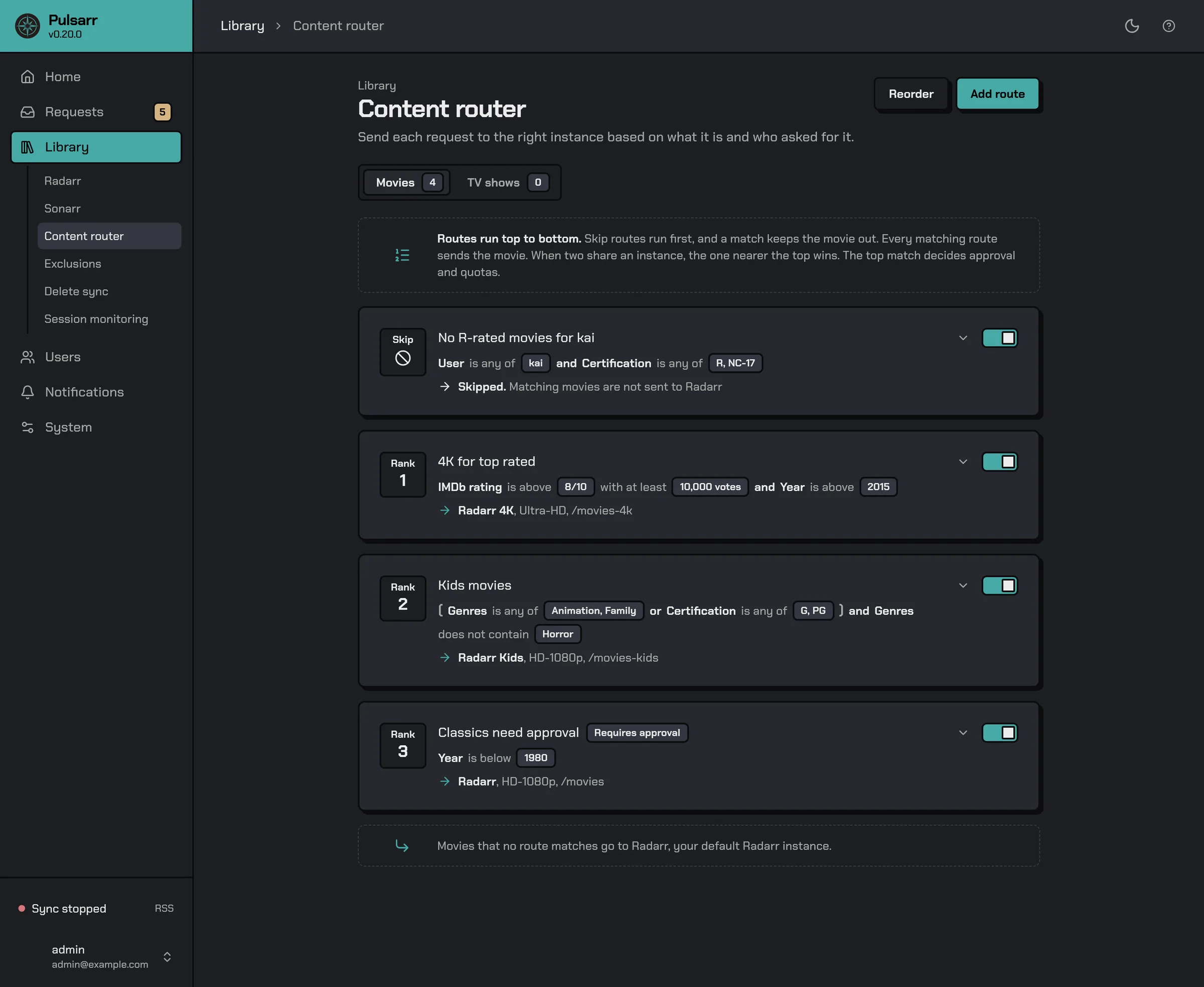
Each route shows its conditions and where matching requests go. The switch on a route turns it on or off without deleting it.
Add a route
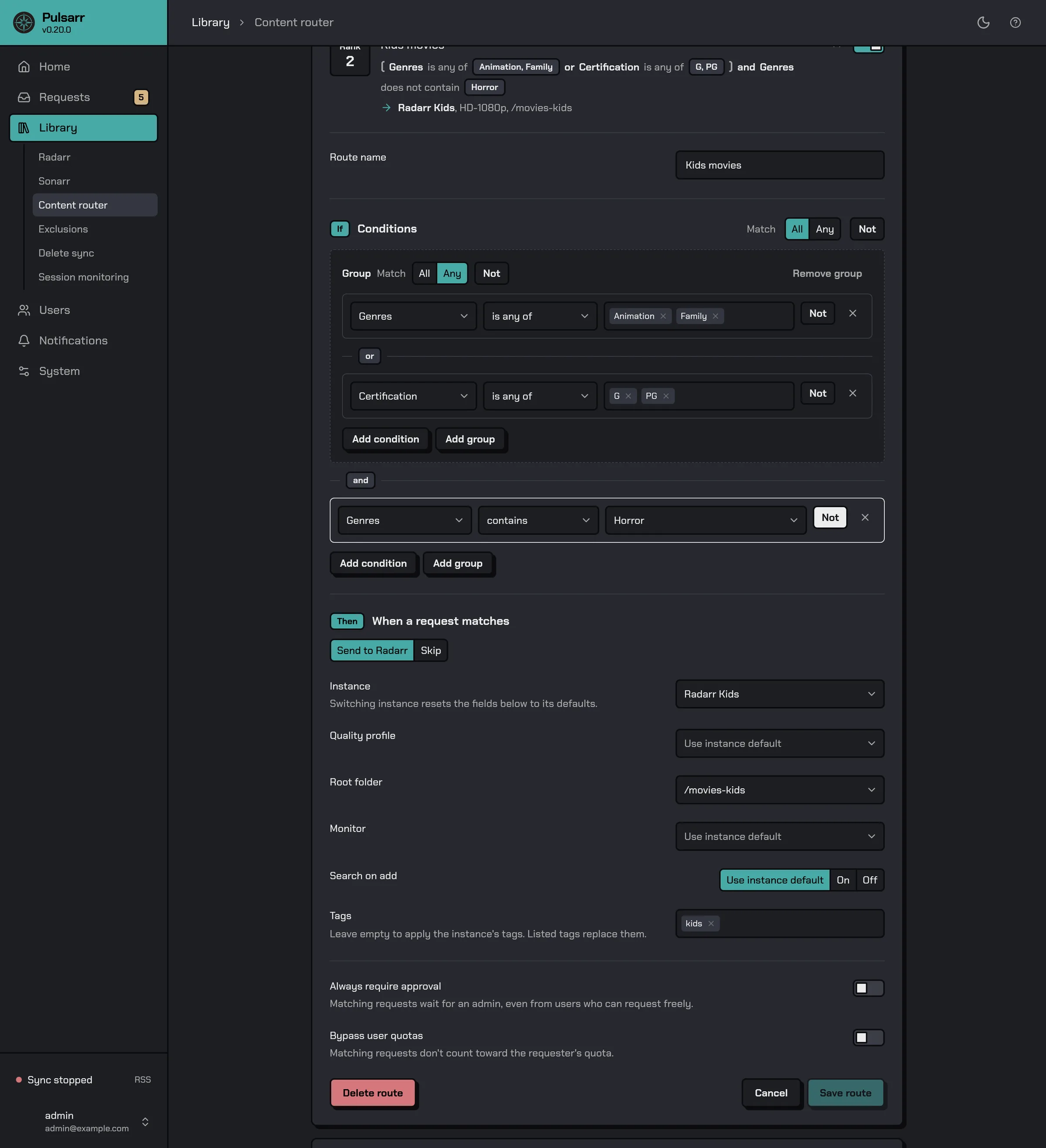
Select Add route, or the arrow on an existing route to edit it. Give it a Route name, set its conditions, then choose what happens When a request matches:
- Send to Sonarr or Send to Radarr sends it to the Instance you pick. The route sets its own Quality profile, Root folder, Search on add and Tags, plus Season monitoring and Series type for Sonarr or Monitor for Radarr. Leave any but Tags on Use instance default to keep the instance's setting. An empty Tags list adds no tags.
- Skip never sends it anywhere.
Select Create route for a new route or Save route for an edited one.
Conditions
Match decides whether a request must meet All of the conditions or Any of them. Each condition is a field, an operator and a value, for example Year is above 2000. Add condition adds another. Add group adds a nested set with its own All or Any. Not reverses a condition or a whole group.
The route above sends a movie to Radarr Kids when it's Animation or Family, or rated G or PG, and isn't Horror.
Fields for movies and TV shows:
- Genres. When a condition checks for anime, Pulsarr also looks the title up in the community anime list and adds an "anime" genre if it's there.
- User, the person who requested it.
- Plex list, a custom Plex list owned by the requester.
- Year, Language and Certification.
- Streaming services, where the title streams in your TMDB region.
- IMDb rating, with an optional Minimum votes, RT critic score, RT audience score and TMDB rating.
TV shows also have Season and Series status. Movies also have Movie status.
How conditions are judged
The editor offers only the operators a field supports. Every field takes some of is, is not, is any of and is none of. Number fields also take is above, is below and is between. Text fields can also take contains, does not contain or matches regex.
A condition on missing data is unknown, not false. Not leaves it unknown. An All group with an unknown and no failure is unknown, and so is an Any group with an unknown and no pass. A route that ends up unknown doesn't match.
Season checks every season number the show has. is not and is none of match only when no season does, the rest match when any season does. Series status is Continuing, Ended, Upcoming or Deleted. Movie status is TBA, Announced, In cinemas, Released or Deleted. Streaming services counts subscription streaming only. Plex list ignores case and surrounding spaces.
Approval and quotas
A route can also change how matching requests are approved:
- Always require approval holds matching requests in the approval queue, even from users who can request freely. Approval reason is shown to admins on the held request.
- Bypass user quotas means matching requests don't count toward the requester's quota.
Order and priority
Every matching route runs, so one request can go to several instances. When two matching routes send to the same instance, the one nearer the top wins. The top matching route also decides approval and quota bypass. Routes lower down add neither.
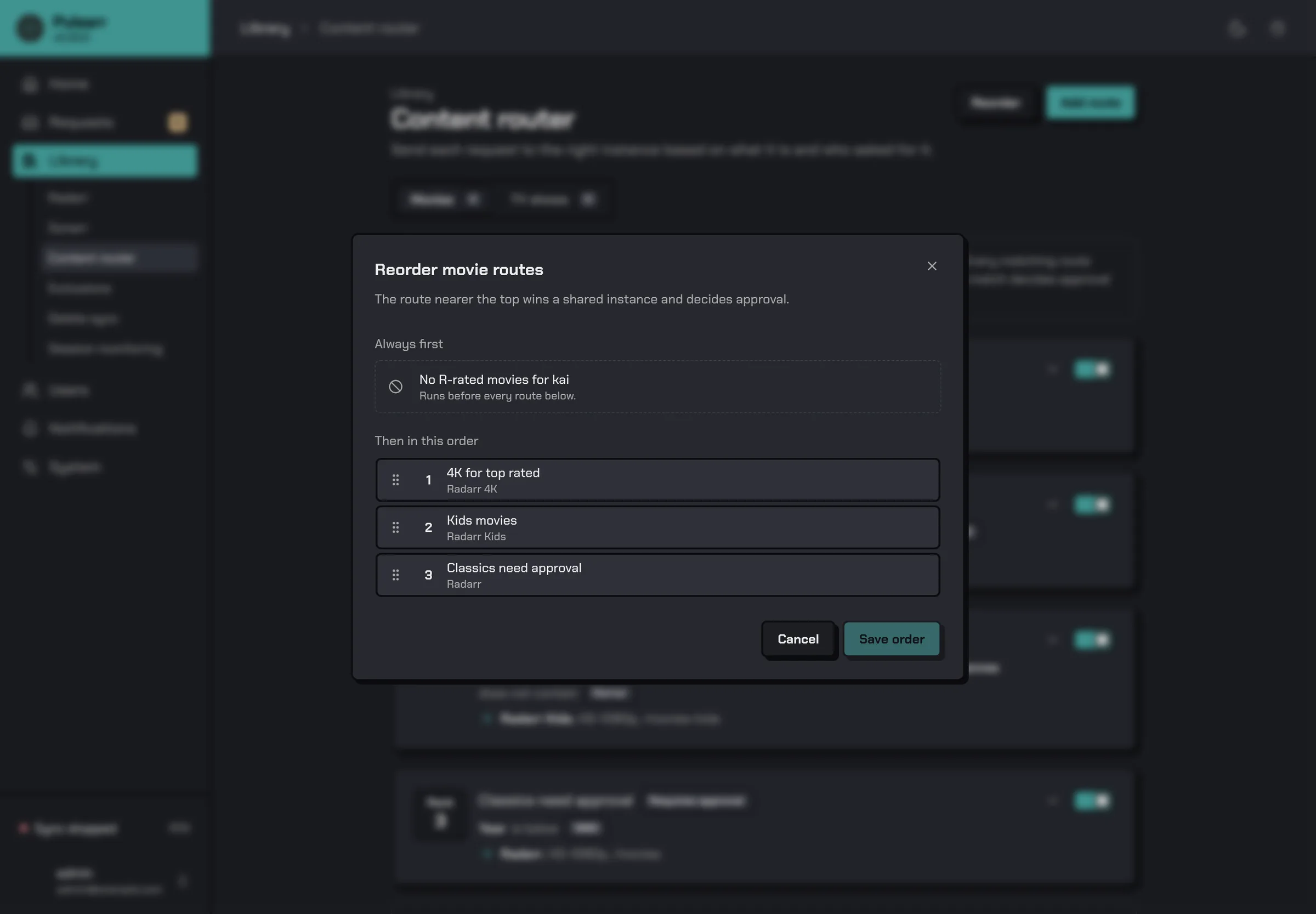
Skip routes always run first. A matching Skip route stops the request from going anywhere, whatever the other routes say.
To change the order, select Reorder, drag the routes into place and select Save order. Skip routes stay pinned under Always first.
When nothing matches
A request no route sends anywhere goes to the default instance, as the note at the bottom of the list says. To skip it instead, turn on Skip content no route matches on the default instance under Sonarr and Radarr. Movies and TV shows are set separately.
Last updated on